Start with the labels, buttons and app you recognise. Then use the matching quick guide or open the full manufacturer manual.
WHICH ONE DO YOU HAVE?
Identify your controller.
If the controller or app matches one of these descriptions, select its guide below. If you are still unsure, email us a clear photo of the controller and heat-pump label.
01NON-WI-FI RECLAIM
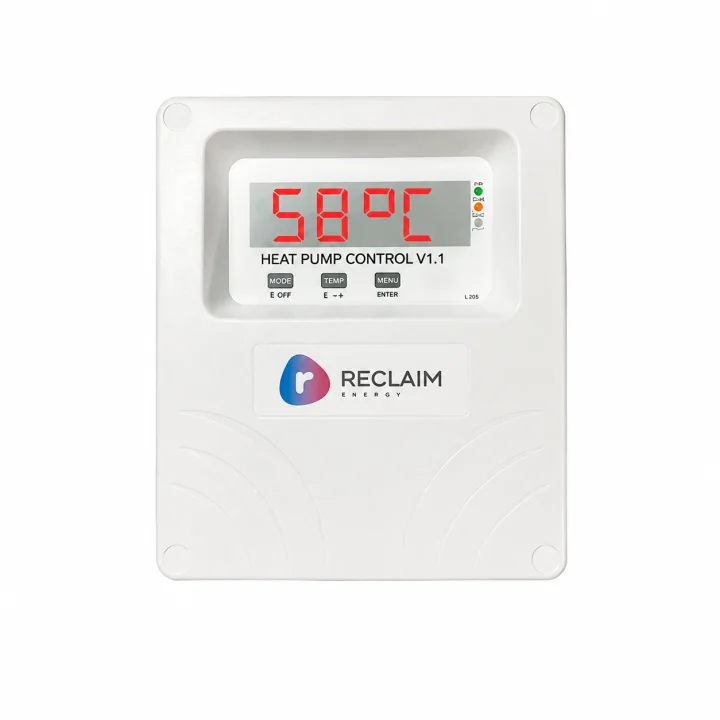
Reclaim V1.1
Look for the non-Wi-Fi Reclaim controller with a small time display, three status lights and separate Temperature and Boost buttons.
These guides cover normal operation only: reading the display, choosing a normal mode, using Boost and using Holiday mode. They intentionally leave out installation, commissioning, wiring and service menus.
01
NON-WI-FI RECLAIM
Reclaim V1.1
Reading the controller
The normal display shows the time. Press Temperature to briefly see the tank temperature and the selected operating option.
Status lights
Green: solid means the controller has power; flashing means temperature control is active.
Amber: solid means the heat pump is being called; flashing means Boost is active.
Red: a fault has been detected. Record the displayed code before requesting support.
When you need more hot water
Press Boost once. It runs a one-shot heating cycle until the tank reaches 59°C or six hours passes. Press Boost again to cancel it.
Choosing a normal operating option
1Continuous210pm-7am312am-6am410am-4pm5Two custom windows6Remote control input
Use the option already selected by your installer unless your tariff, solar usage or household routine has changed.
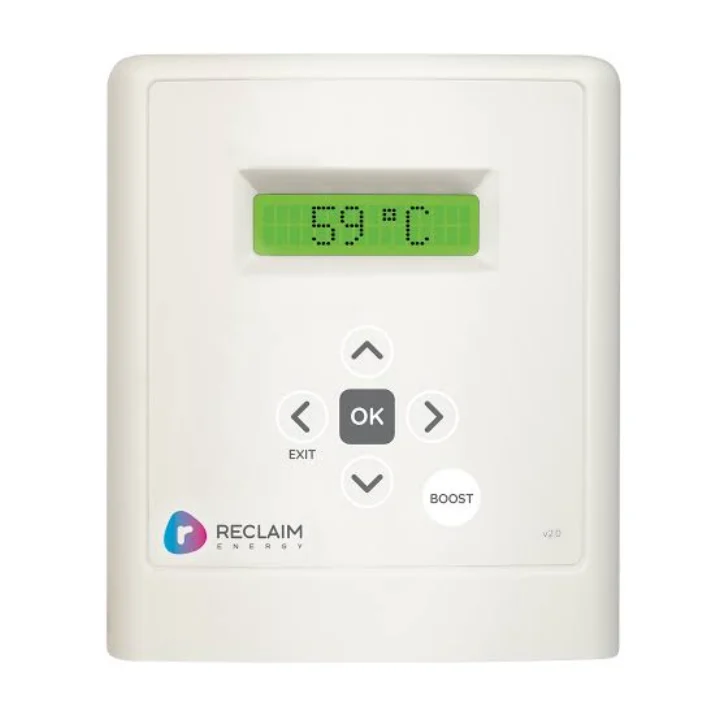
Use the arrow buttons to move through items, the centre select button to confirm, Exit to go back and Boost for temporary extra heating.
Reading the four indicators
PWR: power and temperature-control status.
HP: heat-pump operation; flashing means Boost is active.
FAULT: note the displayed fault before requesting support.
Wi-Fi: shows whether the controller is online or exchanging data.
When you need more hot water
Press Boost once. The controller runs a one-shot cycle until the tank reaches 59°C or six hours passes. Press Boost again to cancel.
Normal modes
Modes 1-4 provide continuous, overnight or daytime operating windows. Modes 5-6 provide adjustable time and temperature control, mode 7 is for a remote input, and mode 8 is Holiday mode. The Reclaim app can also show temperatures, operation and usage information.
The main screen shows the tank temperature, current operating mode, date and time, plus heating, Wi-Fi and control-lock symbols when active.
Using the buttons
Menu opens the available functions, the selection buttons move through choices, Enter confirms and Back returns to the previous screen.
When you need more hot water
From the main screen, press Boost once to reheat the full tank. Press Boost again to stop the boost cycle.
Choosing a normal operating mode
Go to Menu → Operation mode. Choose 24H, a preset window such as 10am-4pm, or the timer selected for your household. For time away, choose Holiday; heating pauses while the system remains powered and its protection cycle continues.
Panasonic Comfort Cloud
The app can show system status, control operation, manage schedules, monitor energy use and apply Holiday settings. If the app and controller disagree, use the controller and record any displayed error code.